Cone template generator: a printable full-size cone template for hoppers, funnels and reducers
Updated on 29 October 2026
A cone template is the flat pattern of a cone: the shape you trace onto the sheet, cut out and roll up until its two straight edges meet at the seam. Type the two diameters, the height and the thickness on the cone page and it gives the figures and draws the template straight away, with no account. With a free account it also prints the template at full size, 1:1, tiled on A4 or Letter sheets that you tape together and lay on the metal.
This page is the quick route, for when a hopper, a funnel or a reducer has to be cut today. The geometry behind it, worked through step by step, and the trammel layout for cones too big to print are in the cone development guide.
Cone template generator
- Open the cone page and choose millimetres or inches above the form.
- Type the smaller diameter D1, the larger diameter D2, the vertical height H between the two openings and the thickness THK, and press Calculate free. Out come the two arc radii, the sector angle, the size of the blank and the drawing of the template.
- For the template at full size, create a free account, enter the same measurements in the full calculator and press 1:1 template on the result. The PDF comes on A4 sheets when you work in millimetres and on Letter sheets in inches, with a cover page that maps them.
The figures, the drawing and the full-size template cost nothing. For plasma or laser cutting, the free account exports 1 part a month in DXF; unlimited DXF export is the paid full access.
What the template is
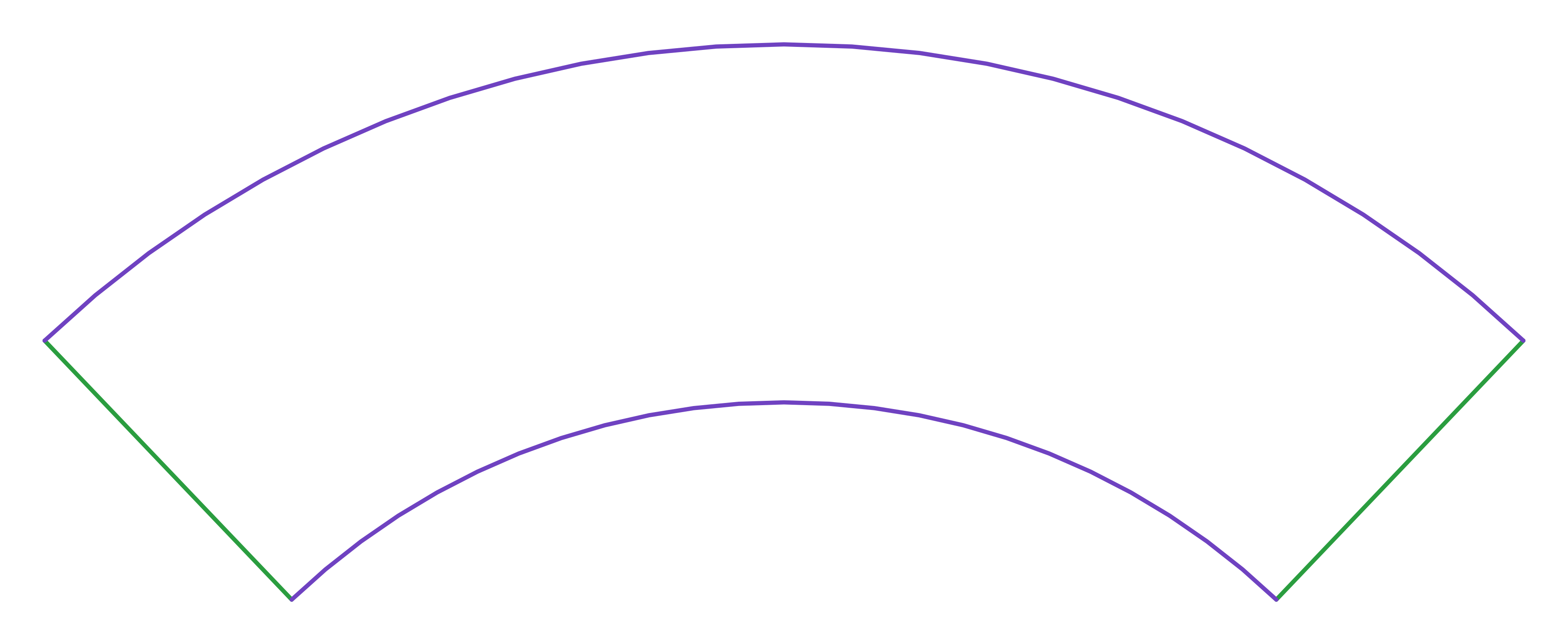
Two arcs struck from one centre, closed by two straight sides that run back towards that centre. The small arc, of radius Ri, rolls up into the small opening; the large arc, of radius Re, into the large one; and the sector angle θ between the two straight sides decides how much of a full circle the template takes. The straight sides meet at the seam.
The cone page works all three on the mean line, at mid-thickness, so the cone closes in the sheet you entered: Ri = g × r1 / (r2 − r1), Re = Ri + g and θ = 360° × (r2 − r1) / g, with g the slant height and r1 and r2 the radii of the openings at mid-thickness. The cone development guide explains each one.
Take a small hopper, or a big funnel: 100 mm at the outlet, 400 mm across the top and 300 mm high, in 1.5 mm sheet. The cone page gives arc radii of 110.3 mm and 445.7 mm (4.34 in and 17.55 in) and a sector angle of 161°, on a blank of 879 × 428 mm. The full-size template takes 10 A4 sheets, five across and two down, or 10 Letter sheets.
What to enter
| Field | What it is |
|---|---|
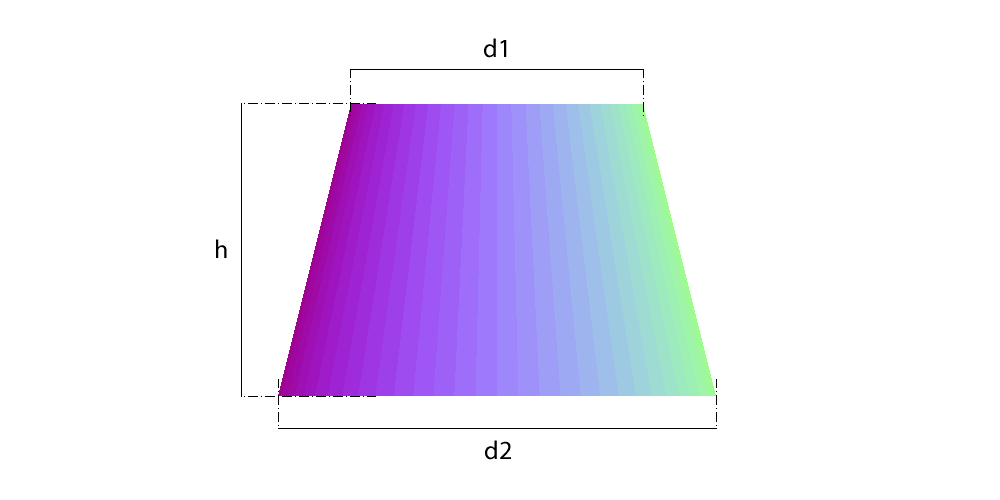
| Smaller diameter, D1 | The outside diameter of the small opening: the outlet of a hopper, the spout of a funnel. |
| Larger diameter, D2 | The outside diameter of the large opening. D1 has to be smaller by at least 1 mm: two equal openings make a cylinder, not a cone. |
| Vertical height between the openings, H | Measured on the axis. Not the sloping side: the slant comes out of the calculation. |
| Plate thickness, THK | The thickness of the sheet. It puts the template on the mean line, which neither stretches nor shrinks as the sheet is rolled. |
Diameters are OUTSIDE diameters, as every form on the site says, and the calculation takes the thickness off on its own: do not subtract it first. If the drawing gives inside diameters, on thin sheet add twice the thickness to each.
Printing the template at full size
- Print the PDF at 100 %, actual size. Turn off fit to page, shrink to fit and any other scaling in the print dialog; the sheets are portrait.
- Before cutting anything, measure the check ruler at the foot of every sheet with a steel rule. It must read 100 mm, or 4 in on Letter. If it does not, the printer scaled the page and the whole template is off: print it again.
- Trim each sheet at the corner marks.
- Lay the sheets out by their labels, as in the map on the cover: rows A, B, C from the top and columns 1, 2, 3 from the left. Neighbouring sheets share a strip of the drawing, 1/2 in on Letter and 10 mm on A4: overlap them by that strip, line up the crosses on the shared edge and tape them.
- Check the assembled template with a flexible tape: the small arc must measure 2π × r1 and the large arc 2π × r2, the mean circumferences of the two openings. On the hopper above, 309.9 mm and 1252.4 mm.
- Tape the template to the metal, scribe round it and cut the whole outline: the two arcs and the two straight sides.
A big cone takes a lot of paper: the 1200 mm reducer of the cone page's own example prints on 95 A4 sheets, and past 400 sheets the generator refuses. For cones that size, strike the two arcs with a trammel from Ri and Re, as the cone development guide shows.
What it is used for
- Hoppers and bins: D1 is the outlet, D2 the top of the cone and H its depth. A hopper with a nozzle in its wall has a page of its own, the cone with branch hole.
- Funnels: the spout is D1 and the mouth D2.
- Concentric reducers between two pipes or ducts: D1 and D2 are the outside diameters of the two openings. When one side has to run straight, the reducer is eccentric: that is the offset cone.
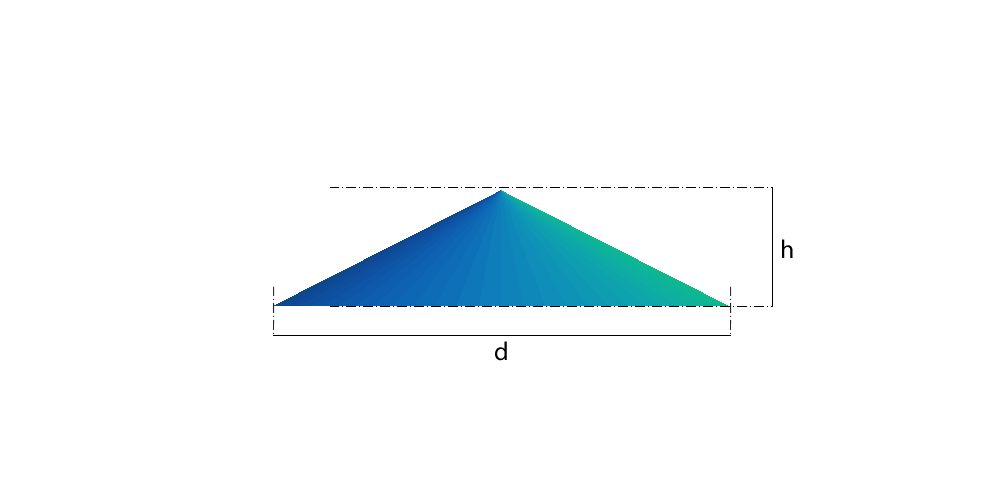
- Chimney caps and cowls: a cap with a hole for the flue is a cone; a rain cap that closes to a point is the conical cap, which takes only the diameter and the height.
- Lampshades, planters and model work in card, paper or thin metal: the same template, with the thickness of the material in THK, a few tenths of a millimetre. This page is written for sheet metal, but the geometry does not change.
Mistakes that spoil the template
- Printing with fit to page on. The template comes out a few per cent small and the seam gaps; the ruler on each sheet shows it before anything is cut.
- Entering the slant as the height. H is vertical, and the sloping side entered as H makes a taller, tighter cone.
- Taking the thickness off the diameters by hand. The calculation already works on the mean line, and doing it twice makes the cone too small.
- Butting the sheets edge to edge. They overlap by 1/2 in on Letter (10 mm on A4): butted, every joint adds that much to the template, and the arcs stop measuring what they should.
- Tracing from the drawing on the screen. It is scaled to fit; only the 1:1 PDF, checked with its ruler, is a template.
- Forgetting the seam allowance. The template is the finished cone with its edges butted: for a lapped, riveted or grooved seam, add the lap along one straight side.
Frequently asked questions
- How do I make a cone template?
- Type the two outside diameters, the vertical height and the thickness on the cone page: it gives the two arc radii and the sector angle, and draws the template. With a free account, print the 1:1 template at 100 % on A4 or Letter, check the ruler on each sheet, tape the sheets together and trace round them.
- Is the printable cone template free?
- Yes. The figures and the drawing need no account, and the full-size template needs a free one. For plasma or laser, the free account exports 1 part a month in DXF; unlimited DXF export is the paid full access.
- What paper does the template print on?
- A4 when you work in millimetres and Letter when you work in inches, portrait, tiled with a 1/2 in overlap on Letter or 10 mm on A4, a 2 in (50 mm) square to check the print scale, and a map of the sheets on the cover. A hopper 400 mm across the top and 300 mm high takes 10 sheets.
- Why does my cone not close at the seam?
- Most often the printer scaled the template: print at 100 %, actual size, and measure the ruler on each sheet, 100 mm or 4 in. If the ruler is right, check that the diameters were outside diameters and that the height was the vertical one, not the slant.
- Can I make a cone that comes to a point?
- Yes, on the conical cap page, which takes only the diameter and the height. The cone page needs two openings: the smaller one can be small, but not zero.
- Does it work for paper and craft cones?
- Yes. Enter the thickness of the paper or card, about 0.1 mm for paper and 0.3 mm for card, and print at 100 %. A lampshade or a planter is the same geometry as a hopper.
Parts in this guide
Other guides
- How to develop a cone (frustum) in sheet metal: formula, sector radii and angle, step by step
- Lobster back bend calculator (segmented 90° elbow): gore angles, cut heights and how many plates
- Pipe saddle calculator and development: how to lay out a pipe-to-pipe branch (tee) at 90 and 45 degrees
- Square to round transition: development by triangulation, step by step
- The neutral axis of plate: why every development uses D − t, and the bend deduction
- Sheet metal glossary: the terms of marking out and pattern development in plate fabrication
- How we check the Planichapa calculations, and who is behind them
- LITIO alternative: Planichapa develops sheet metal parts in the browser, nothing to install, now that LITIO2 is no longer sold
- How to lay out a mitre-cut pipe: paper template, sine wave and ordinate table
- Plate 'n' Sheet alternative: Planichapa develops sheet metal parts in the browser, with the price on the page
- Steel plate weight calculator, weight per m², gauges and stock plate sizes: table and formula
- Pipe ovality: a calculator, the formula, a worked example, the limits the codes use and how to measure it in the shop
- Sheet metal pattern development software: how to choose, and what changes between a desktop program, a phone app and an online calculator
- Eccentric and concentric reducers: which one to use and how each one develops on plate
- Roller chain size chart: ANSI, ISO 606, motorcycle and bicycle chain pitch and roller diameter
- Sprocket dimensions: pitch diameter, outside and root diameter, tooth form and a pitch diameter chart
- Bolt circle layout: the position of each hole, the chord between holes and a chord chart
- Chain length and sprocket ratio: the formulas, a worked example and how many links to cut
- Screw flight calculator: the flat blank of a screw conveyor flight (auger), with the formula and a worked example
- Plate rolling calculator: the blank length of a rolled shell, with the formula, a chart and a worked example
- Tube notching template generator: a printable coping template for any tube, angle and offset
- Dished head calculator: depth, volume, blank diameter and weight of torispherical, 2:1 elliptical and hemispherical heads
- Pie cut calculator for exhaust and tube bends: saw angle, pie lengths and a wrap-around template
- Duct transition layout: square to round duct, centred, offset or flat on one side
- Pipe template, printable at full size: tee saddle, 45° lateral and mitre cut for every pipe size from NPS 1/2 to 12
- Register boot layout: from a floor, wall or ceiling register to a round duct, in inches
- Plenum box and plenum transition layout: the sides, the offset and the round outlet